





Download Files
This page contains links to various files that we have created or on occasion, supply by permission. To download one of these files, right-click (PC) or control-click (Mac) on the light blue text and select "Save as".
Macintosh Dashboard Widgets (ZIP files)
The following widgets are zipped. Installation instructions can be found below.
 |
|
Snapshot of the US Tax Freedom Clock Widget Click image to download v2.0.08. |
US Tax Freedom Clock -
This widget continuously displays the months, days, hours, minutes and seconds till or since US Tax Freedom Day, as calculated by the Tax Foundation, from data supplied by the US Department of Commerce, Bureau of Economic Analysis.
The start date automatically resets each January, to use the new year. Also, with the release of version 2.0, it also automatically fetches the latest date for Tax Freedom Day from the internet, as soon as we receive the new date from the Tax Foundation, thereby eliminating the need to download a new version each year. The sub-version ".08" identifies the tax year of the information provided on the back side of the widget.
 |
|
Snapshot of the UK Tax Freedom Clock Widget Click image to download v2.0.08. |
UK Tax Freedom Day Clock -
This is the United Kingdom version of the above US Tax Freedom Clock, using the UK Tax Freedom Day date, as calculated by the Adam Smith Institute.
The UK Tax Freedom Clock continuously displays the months, days, hours, minutes and seconds till or since UK Tax Freedom Day.
As with the US version, this widget automatically resets every January and fetches the date of the latest UK Tax Freedom Day from the internet. We will attempt to update that date in a timely manner, each year. But since we are based in the USA, we don't hear the news of the announcement of the latest UK Tax Freedom Day and have to actively watch for it. We try to check the Adam Smith Institute site at least once a week. If you want, you may contact us to remind us when the new date is announced.
 |
|
Snapshot of the Gun Self Defense Counter Widget Click image to download v3.0. |
Gun Self Defense Counter -
Tracks the number of times that guns have been used in self defense, since the beginning of the current year.
This widget is based on the now famous study by renowned criminologists Gary Kleck & Marc Gertz and reported in the The Journal of Criminal Law and Criminology, Northwestern University School of Law, (Fall 1995) titled, "Armed Resistance to Crime: The Prevalence and Nature of Self-Defense With a Gun." This is widely accepted as being the most comprehensive study of gun use in the United States. It should be noted that before undertaking this study, Kleck was an outspoken supporter of gun control and as a result of his fincings, he now opposes the gun control agenda that he used to support.
The counter in ths widget automatically resets each January 1st, so there is no need to download a new version every year. Version 3.0 added Leopard compatibility.
 |
|
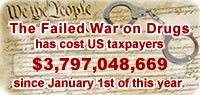
Snapshot of the Drug War Cost Clock Widget Click image to download v1.1. |
Drug War Cost Clock -
Continuously displays the amount of money that the US government, as well as state and local governments, have squandered on the ineffective War on Drugs, since January 1st, of each year.
This federal portion of the calculations in this widget is based upon the published annual budget, from the White House. The state and local portion of these calculations comes a study undertaken by The National Center on Addiction and Substance Abuse at Columbia University, released in 2001. That study comprises the most recent comprehensive data available on state and local spending on the Drug War.
This widget automatically resets each January 1, to use the new year. However, this version does not yet auto-update the spending data frome the internet each year, so it temporarily requires a new version of the widget to be downloaded each year. Auto-updating is, however, something that we plan to offer soon.
Wham-Bam-Tram Ram Counter -
Tracks the embarrassing and continuously climbing world record crash total
of Houston's disastrous light rail system. This widget updates when the Official Wham-Bam-Tram Ram Counter, on the web, is updated. As our publisher, who tracked this data, was living out of the country for about a year, the data related to this widget had become out of date. We plan to soon request the latest data concerning the Wham-Bam-Tram and update the counter accordingly.
Houston Version of World Clock Widget -
This is the Apple World Clock Widget, with an option added for "Houston", as one of the possible cities. It is based on the version of the World Clock that is in OS-X 10.4.2. If the only additional city that you need is Houston and you are running 10.4.2 and have no plans on installing future system updates, then this may be all that you need. However, since Apple has updated the World Clock widget with previous system updates, we recommend that you download and use the World Clock Add City script, below, instead. That script will allow you to quickly and easily reinsert Houston or any other city, back into the World Clock, whenever an Apple update overwrites your previously modified widget.
 |
Hula Cartman - This is a modification of the Hula Girl widget, that has an option added for a Hula Cartman. Hey! If they can have a Hula Homer, they should have a Hula Cartman. We are also thinking about creating a Hula Mr. Hankey ("Hi-de-ho!"). |
|
Snapshot of the Hula Girl (Cartman) Widget Click image to download. |
Widget Installation: Mac OS X 10.4 Tiger or later is required. If you’re using Safari, click the download link. When the widget download is complete, show Dashboard, click the Plus sign to display the Widget Bar and click the widget’s icon in the Widget Bar to open it. If you’re using a browser other than Safari, click the download link. When the widget download is complete, unarchive it and place it in /Library/Widgets/ in your home folder, show Dashboard, click the Plus sign to display the Widget Bar and click the widget’s icon in the Widget Bar to open it.
Macintosh World Clock Add City Script
World Clock Add City Script -
This is a UNIX Shell Script that will correctly add the city of your choice to Apple's World Clock Widget. This is the tool that was used to add Houston to the above Houston version of the World Clock widget. It was created because of the many forum postings on the net, describing incorrect or incomplete methods of adding a city to that widget. This script is extensively documented, internally and may be viewed with the Apple TextEdit application. The internal documentation clearly lays out exactly what you need to do to the script, to make it add your chosen city. Once those 4 or 5 changes are made, it must be run from the UNIX Terminal application. Because of the protection level assigned by Apple, to the World Clock Widget, you must be logged in as "root" for this script to be able to make any changes to the widget. A backup of your original widget is saved to the selected user's Desktop, before any changes are made.
FairTax PowerPoint Presentation
FairTax Presentation -
This is a PowerPoint presentation that was developed for use at the FairTax booth, at the Texas Libertarian Party Convention, in Houston, Texas, a couple of years ago. It should work equally well at other convention booths, too. Furthermore, I have also found it useful as a tool for short FairTax presentations that I have made to political groups. In that case, you need to turn off the auto-advance feature, so you can have time to talk about each feature, before advancing to the next slide.
As it is now, it is designed to run continuously, with each slide displaying just one key feature of the FairTax. It is not designed to answer all the questions about the FairTax, but rather to provide just enough information to create questions about the FairTax that will make the passer-by want to stay and ask those questions, of the person manning the booth. I have personally found it very useful.
For example, during the various breaks, at the Libertarian Convention, I would be busy talking to a few deligates, while other deligates were watching the slide presentation. As soon as one group moved on, others were usually waiting to ask questions about something that they saw on one or more of the slides. (Interestingly, later on, I even overheard several of those people at Ron Paul's autograph session at the next desk, asking him if he would support the FairTax.)
It is made available, with no strings, to anyone who wants to use it to promote the FairTax. All that we ask is that you mention our site once in a while.
Macintosh Widget PowerPoint Presentation
Widget Development SIG Presentation -
This is the PowerPoint presentation that was developed for and presented to the Houston Area Apple User Group (HAAUG) Widget Development SIG. It was developed with PowerPoint2004, but it has been validated to run with versions as far back as PowerPoint2002. It is not for commercial use.